Every customer in one place
Contact details, notes, and the complete repair history for each customer, on screen the second they call. No hunting through a filing cabinet while they wait.
Customer CRM
Every customer, every vehicle, and every repair on one record. Bring people back with automatic reminders and keep the whole relationship in one place instead of a shoebox of invoices.
Free plan · No card needed · Cancel anytime
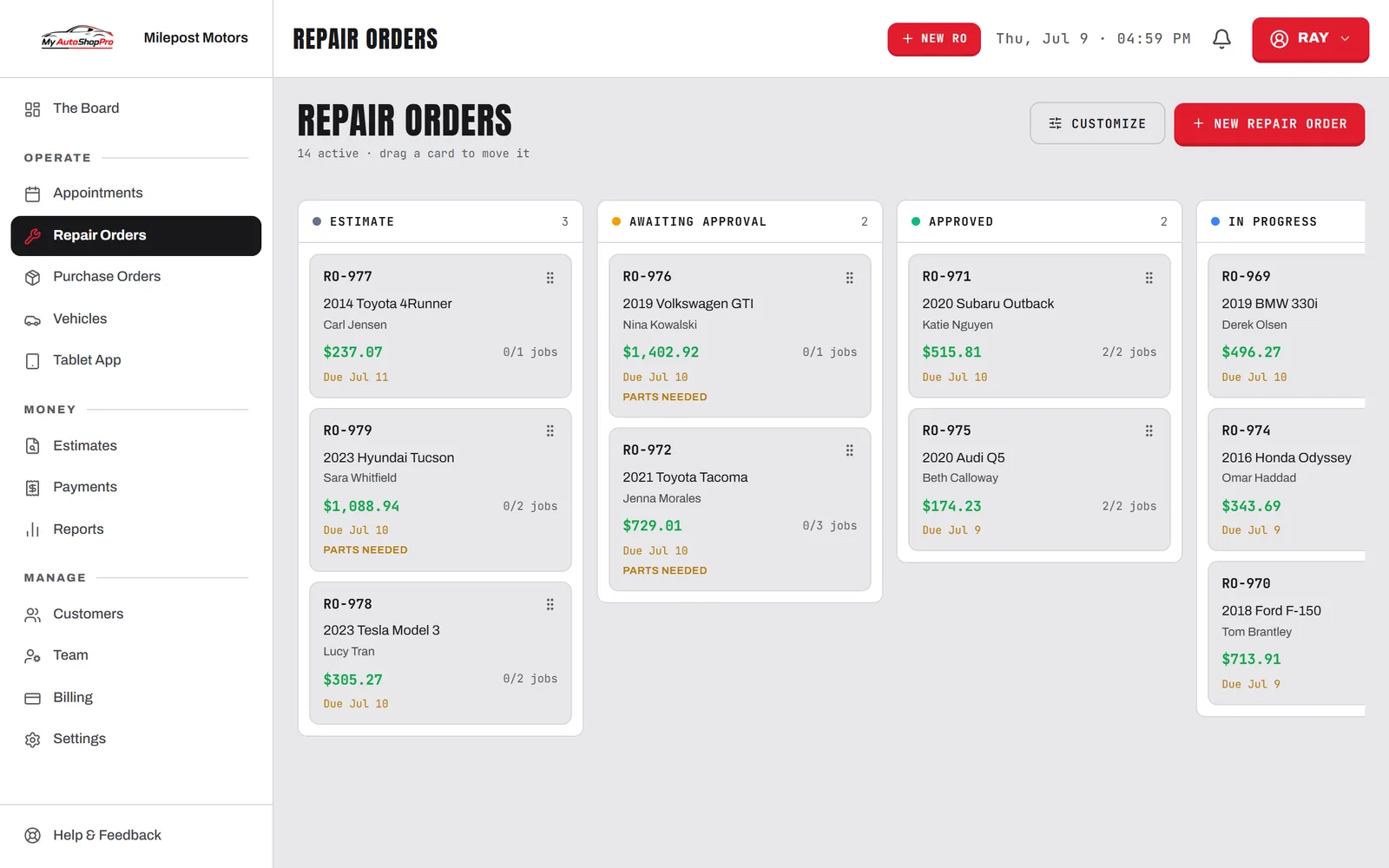
Know every customer
A CRM for auto repair shops shouldn't be one more app to keep up with. This one is built into the same system you write repair orders in.
Contact details, notes, and the complete repair history for each customer, on screen the second they call. No hunting through a filing cabinet while they wait.
0calls
needed to bring a customer back — reminders go out on the interval you set, on their own.
Track every car a customer owns with its own service history, so you always know what's been done and what's due.
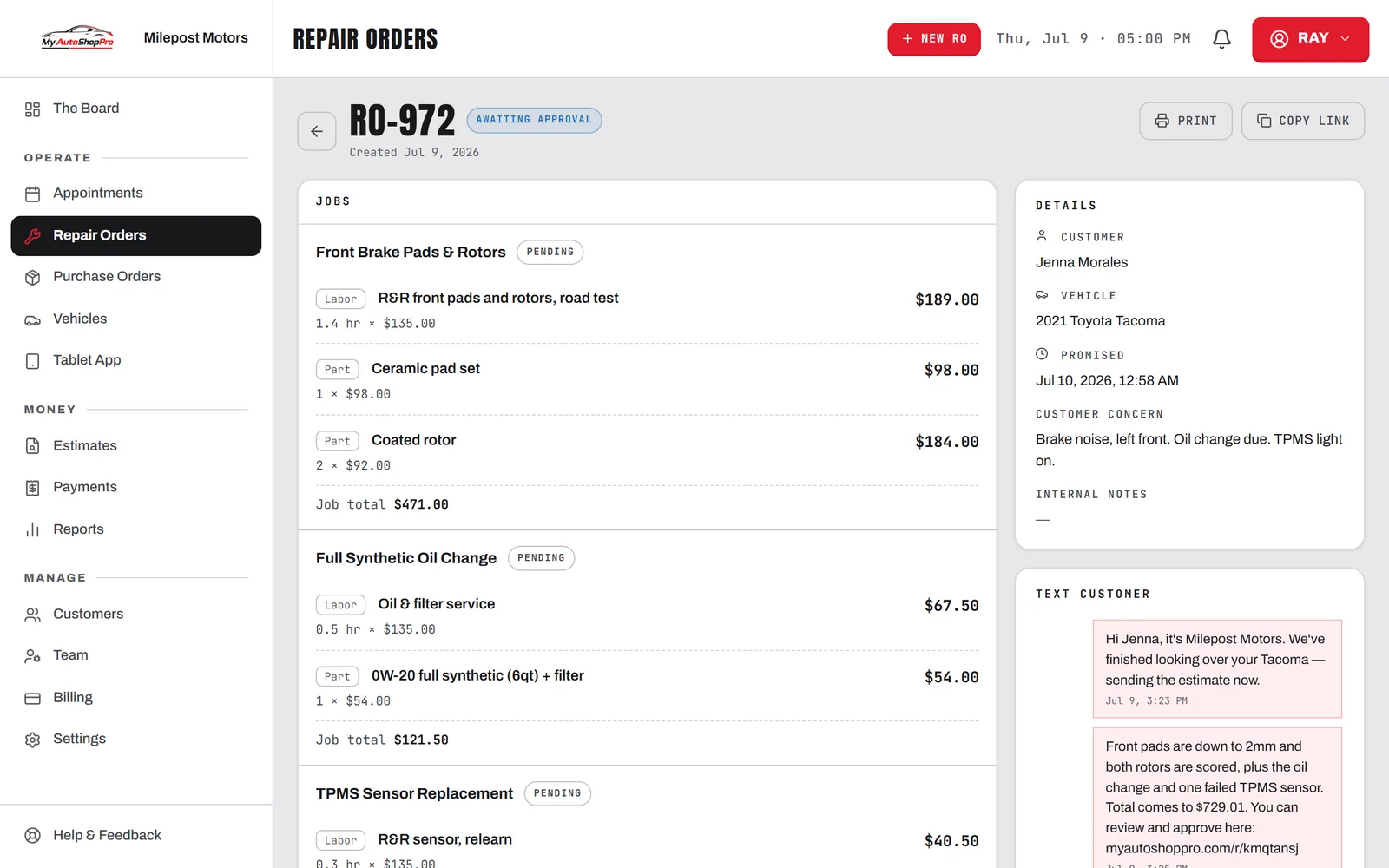
Message customers straight from their record. Approvals, ready notices, and questions all sit in one thread.
Paid invoices trigger a review request automatically, turning happy customers into five-star ratings.
Every repair order, estimate, invoice, and inspection stays on the record, visit after visit and year after year.
Set the interval once and the system tracks when each vehicle comes due, then sends the reminder by email or text without anyone picking up a phone.
Most shops don't lose customers on purpose. They lose them because nothing in the building remembers that the Corolla from eighteen months ago is overdue for a timing belt, or that the fleet account has three more vans that have never been in. The information existed, it just lived on a paper invoice in a drawer. A shop CRM's real job is to remember on your behalf and then act on it.
MyAutoShopPro's CRM isn't a separate tab you're supposed to maintain. It's the customer record that every repair order, estimate, and invoice already writes to. Because the data lands there as a by-product of running the job, the history is complete without anyone doing data entry for its own sake.
In a repair shop the vehicle is the thing being serviced, but the customer is the one paying and the one you market to, and one customer can own several vehicles. Every car carries its own service history, mileage, and upcoming maintenance, while the contact details, notes, and payment history sit at the customer level. That's why generic customer management software fits shops badly and why a purpose-built one doesn't need workarounds.
A record you only read is worth much less than one that reaches out. Service reminders go out automatically when a vehicle comes due, two-way texting keeps the conversation in one thread on the customer's record, and paid invoices trigger a review request so satisfied customers actually leave ratings. Multi-location shops see customers across every store from one place, which the multi-location tools cover in detail.
Comparing shop CRMs against a full shop management system? See how MyAutoShopPro measures up to Tekmetric, Shopmonkey, and Mitchell 1, or read our guide to the best auto repair shop software.
FAQ
A CRM for an auto repair shop keeps every customer, their vehicles, and their full service history on one record, then uses that history to bring them back. The practical difference day to day is that when someone calls, your writer sees who they are, what they drive, what you did last time, and what's due now, without digging through filing cabinets or old invoices. Automatic service reminders then pull those customers back in on schedule instead of whenever they happen to think of you.
General CRMs are built around leads, deals, and sales pipelines, which don't map onto how a repair shop works. A shop's customer record has to hang off vehicles: one customer can own four cars, each with its own mileage, service history, and upcoming maintenance. MyAutoShopPro's customer management software is built around that structure, and it's part of the same system you write repair orders and invoices in, so nothing has to sync between two tools.
Yes. You can import customers and vehicles from a CSV export, which is what most shops leaving a spreadsheet or an older shop management system have. Once they're in, the history starts building from the first repair order you write.
It does. You set the interval for a service, and the system tracks when each vehicle is due and sends the reminder for you by email or text. This is where most of the return on a shop CRM comes from: the oil change customer you'd otherwise never hear from again gets a nudge at the right time.
Two-way SMS is built in and works from the customer's record, so approvals, ready-for-pickup notices, and back-and-forth questions all sit in one thread tied to the right person and job. Opt-out handling is built in. It's included rather than sold as a separate messaging add-on.
The CRM isn't priced separately, because it isn't a separate product. Customer records and vehicle history are on every MyAutoShopPro plan, including Free, along with estimates, repair orders and invoicing. Two-way texting, service reminders and review requests start on the Starter plan. Pricing is published on our pricing page.
One visit to regular
Writing the repair order is the data entry. Customer, vehicle, mileage, and what you did all land on the record as a by-product of the job.
Services carry a due-again interval, so the system knows the Corolla is coming up on a timing belt before anyone in the building does.
When a vehicle comes due, the reminder sends itself by email or text. That's where most of the return on a shop CRM actually comes from.
The name comes up with every car they own, everything you've done, and everything they turned down. That's the conversation that keeps them.
Stop losing track of who's due for service. The CRM is part of the same system you write repair orders in, not a second app to keep up with.