
Assign bays & balance the floor
Drop a job on a bay, assign the tech, and the board rebalances the day's load across the whole shop.
Work Orders
Create a work order in under 30 seconds. Assign bays and techs, watch status update live, and go from check-in to customer pickup without touching a sheet of paper.
Free plan · No card needed · Cancel anytime
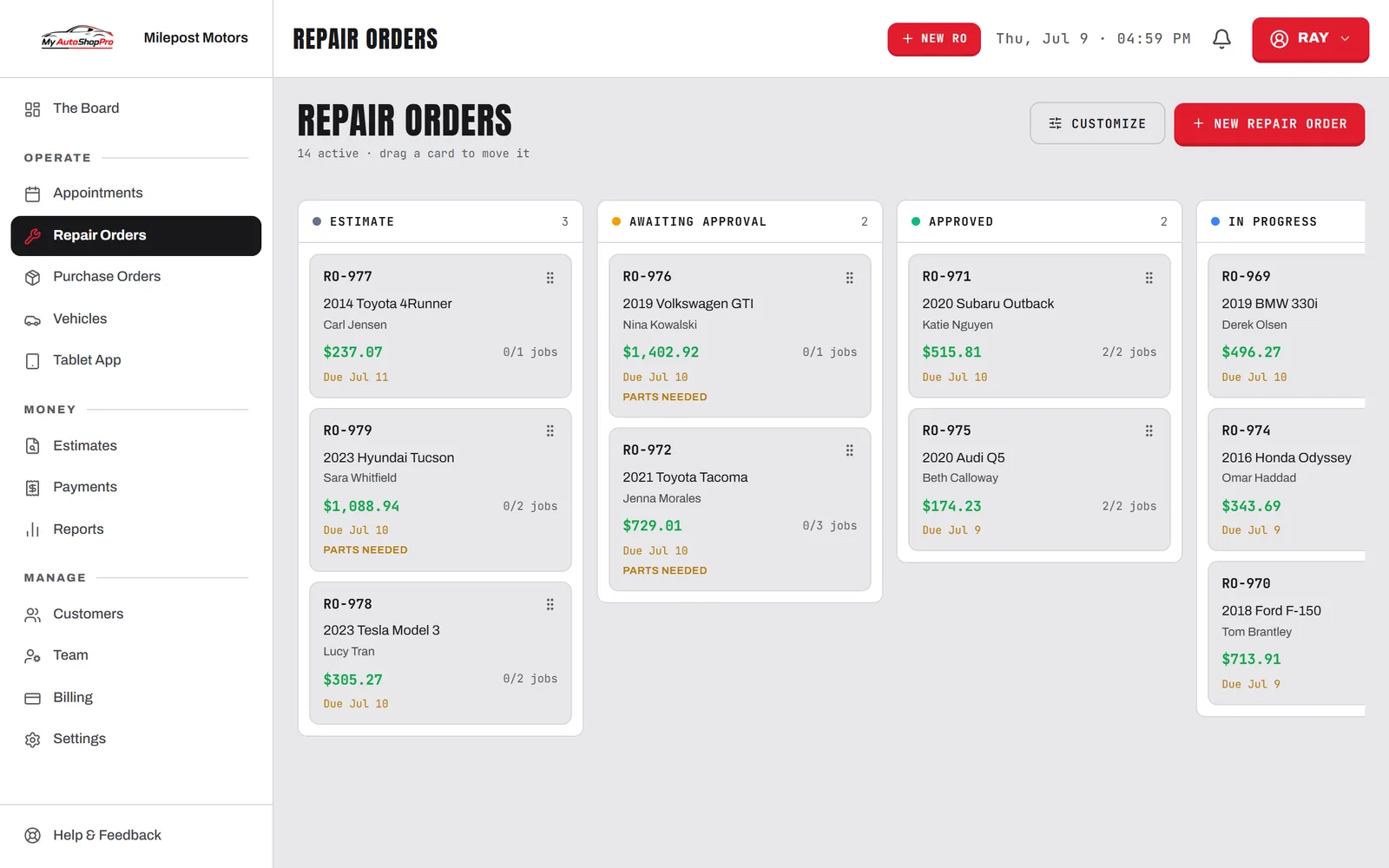
One board. Every job.
Stop dropping the ball between a sticky note, a texting app, and a spreadsheet. It all lives on one screen.
Drop a job on a bay, assign the tech, and the board rebalances the day's load across the whole shop.
30sec
to check a car in, with name, vehicle, and services ready before it hits a bay.
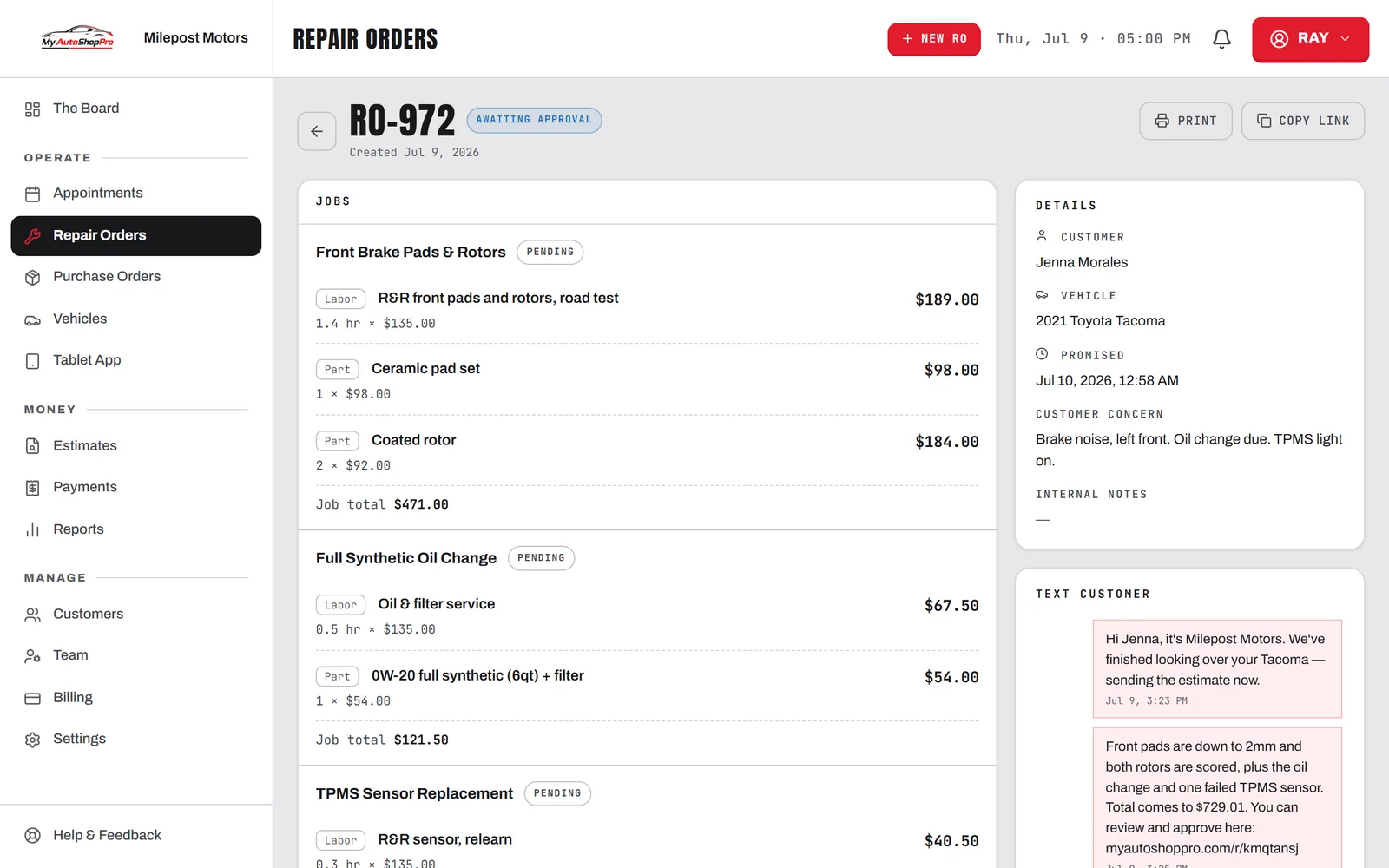
Techs attach photos straight to the order, so you have proof of what was found and something to show the customer.
The finished order becomes the invoice, with every service, part, and tax line already on it. Nothing gets re-typed and nothing gets left off.
The Board
Every job on the floor, live
Awaiting approval 1
Sarah Mitchell
2021 Honda Civic
Approved 1
Tom Robertson
2019 Ford F-150
In progress 2
Alex Kowalski
2018 Toyota Camry
Dana Park
2020 Subaru Outback
Ready 1
Mike Harrison
2017 Chevy Silverado
The board moves as the shop does — every job, bay, and tech on one screen.
Work orders sit in the middle of everything else: they start from an approved estimate, get worked from the technician tablet app, and close out as an invoice you take payment on.
FAQ
Work order software replaces the paper repair ticket. Each job gets a record that holds the customer, the vehicle, the services quoted and performed, the assigned bay and technician, photos from the bay, and a running status the whole shop can see. In MyAutoShopPro that record is a repair order, and it carries the job from check-in through approval, work, invoice, and payment without anyone re-typing it into a second system.
About 30 seconds for a repeat customer. You search their name, their vehicles come up with full service history attached, you pick the services off your catalog, and the labor, parts, and tax total themselves. A brand new customer with a new vehicle takes a minute or two, and you only ever enter them once.
Yes. Technicians work off the tablet app in the bay with a PIN, not your dashboard login. They clock on to a job, mark services complete, add notes, and attach photos, and every one of those updates lands on the same repair order the front desk is watching.
No. The invoice is generated from the finished repair order, so the services, parts, labor, and taxes carry straight over. You take payment on the invoice, by card in the shop, by a link the customer pays from their phone, or in cash, and the order closes out as paid.
They stay on the vehicle. Pull up any car and you see every repair order ever written against it, which is how you answer "when did we last do the brakes on this" without opening a filing cabinet. Orders that go stale without activity can be auto-archived on a threshold you set, so the board only shows live work.
Drop-off to pickup
Hit New Order, type the customer or pull their vehicle, add the services. Done in under a minute.
Drop the job on a bay and assign a tech. They're notified on the tablet in the bay instantly.
Status, notes, photos, and completed services all update from the bay as the work happens.
The finished order converts straight to an invoice, the customer pays, and the car goes home.
Your whole team can be working off one board by the end of the day. No re-keying, no sticky notes, no lost tickets.